

How can you live with a messy Gmail account?
I hear this quite often and heard this again just last week –
“My Gmail account has become a mess and I think I should abandon this one and create a new one”.
It’s a common sight! You get too many useless emails every day adding to the already accumulated several unread emails. You start losing important emails in that daily tsunami. Also, the thus far benevolent Google must already be coaxing you to buy a plan as you are inching (if not “footing”) towards the free account storage limit (15 GB).
Creating a new Google account may appear a quick fix but is not a good idea over the long term. If you have multiple email addresses for a single purpose, you will create an overhead of tracking all of them. It’s also a great inconvenience to your audience when you have too many email addresses. Also, if you keep one of your accounts inactive, Google will eventually try to free the resource by scrapping your account.
But at the same time cleaning up your Gmail account would look like a Herculean effort. And if you are looking for that Alpheus River to clean your Augean stables, read on.
Let’s do this in two parts. In the first part, I will offer you simple steps to clean your Gmail account. In the second part, I will recommend a method that will ensure that you won’t clutter your account, in the first place.
Part A: How to clean your Gmail account
Making your account spotlessly clean may not be required. Instead, we will try to get maximum returns on your investment of time.
- Review the Composition: Your Google account comes with multiple apps, such as Gmail, Google Drive, Photos, etc., each contributing to your total storage usage. The first step is to review how much space each app is using. Use this link to view your storage usage. You might be surprised by the results and can then prioritize which app needs the most attention.
- Clear Google Photos Account: One common issue is Google Photos automatically uploading all your pictures from your Android phone to the cloud. If this isn’t your intention, you can stop it by adjusting your phone settings. To free up space already used, delete the photos from the cloud. For efficiency, use the bulk selection feature to delete multiple photos at once.
- Delete Large Files in Gmail: Start by identifying and deleting emails with large attachments. In Gmail’s search bar, enter
larger:20Mto find emails larger than 20 MB. Delete these emails to free up significant space. If you don’t find many, progressively search forlarger:10Mand so on. Continue this process until you have reclaimed enough space. - Delete Emails from Certain Senders: Identify senders from whom you receive many emails that you no longer need. Use the search bar with the sender’s email address, e.g.,
from:newsletter@blahblahtech.com. Select all emails from this sender by clicking the checkbox above your inbox and then clicking “Select all conversations that match this search.” Confirm the deletion to remove all emails from this sender. - Delete Unread Emails: Accumulating unread emails can be common. To clear them, search for
label:unreadin Gmail. Use the bulk deletion feature mentioned above to remove these emails efficiently. - Delete Obvious Emails: If your Gmail is configured with three tabs—Primary, Social, and Promotions—go to the Social and Promotions tabs and delete emails in bulk. Most of these emails are notifications and can be deleted easily. Use the technique from previous steps to select and delete all emails in one action by choosing “Select all xxx conversations in.”
Part B: How to manage your emails to not accumulate too many of them
Our strategy here is to keep count of your unread emails to zero. Yes, you are hearing it right – Zero!
You should first ensure that your Gmail is configured to have three tabs – Primary, Social, and Promotions. This will keep most of the clutter away and you will be able to focus on the right things that are in the Primary tab.
You should process your emails as regularly as possible. Of course, I am not advising you to watch for every notification, but the idea is to not let the number of emails grow to such a size that you need a big-time slot to clear them, which you will never get anyway. Please note, that what I am advising here is to “process” the emails and not “do” related work:
1. Make a quick first pass for deleting those emails that you don’t even want to open. You need to take a clear and hard decision here. Gmail offers a delete icon right on each mail item when you hover on it. Click on the delete button to delete a particular item.
2. If you are regularly deleting items from certain senders consider unsubscribing to them, and that will reduce the burden of deleting them. Unsubscribing to the mailers is automated and quick, of late.
3. If you like to read the contents of a newsletter at leisure, instead of leaving it unread, check for the availability of that content on a website. Most newsletters offer a web link too. Go to that link and push those pages to a Read later App, like, Instapaper. Of course, you need to develop a habit of frequently clearing stuff from the Read later App as well. One good idea is to install the Read later App on your phone also and keep the shortcut on the home screen.
4. Keeping the emails unread to mark your pending actions is not a good practice. Consider writing the identified actions in your to-do list, instead.
5. You should also copy and save the useful email attachments, in a separate well-organized reference system. This will ensure that you would not run to your Gmail, whenever you need that thing.
All that you delete will go to the Trash folder. You don’t have to delete them from Trash as they get cleared anyway later. Moreover, you have an opportunity to restore it if you want something back.
Once you implement these ideas, you would have tamed this giant. You will find yourself organized and productive too.
Subscribe to my newsletter, to get tips like this and more, directly in your inbox!
Build a Digital Reference Filing System in 5 steps for better productivity
Let’s check how well your digital files are organized! Can you quickly produce the following in NO TIME, if you were asked?
- Photos from your vacation 3 summers back.
- A humorous video you received a few months back from your friend.
- Your latest digital passport size photograph.
- Link to an interesting article that you had read once.
- The presentation that you presented at a conference a few years back.
- Dissertation report of your post-graduation degree.
- Contract document of the project that you worked on last year.
If you felt discomfort after reading the above list, it’s not uncommon. Most of us are reasonably diligent about keeping physical things organized, such as wardrobe, shoes, important documents, or accessories in the kitchen. But our digital world is not that organized. Probably, as our generation hasn’t been coaxed about it by our parents or we haven’t had a chance to have many role models around.
The basic goal of any organized reference system, be it physical or digital, is to get the ability to retrieve whatever we want at any moment, in a moment. At best we lose precious time in searching for what we want and at worst the work couldn’t be done on time because we could not locate the required files. We miss those bouts of our creative energy, for the same reason.
Well, it’s not that we do not have a digital reference filing system at all, but many times it’s fragmented, dated, and incomplete — something is on a mobile phone, something on a home PC or laptop, something on the cloud and lots in emails — and thus not productive. Clouds are useful and should be exploited to keep a copy of some files but not all.
Here is how one can build a workable digital reference filing system:
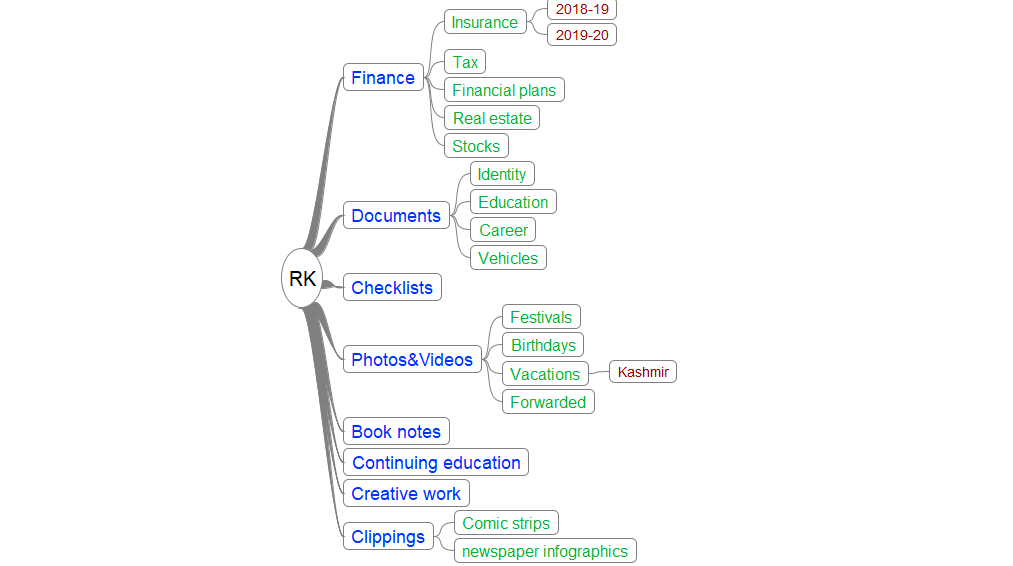
- Create a root folder on a PC/laptop that is fully under your control. Create a tree structure of the file/folder system and organize all files in them. Typically there will be two filing systems, one for professional life and the other for personal life. It could be any structure, but we need to keep following two guidelines in mind. It should be the one that naturally occurs to you when you want to retrieve something. Try to not mix files that we want to copy on the cloud with the ones that we do not want to.
Refer feature image of a sample (partial)structure of a Sample Digital Reference Filing System Structure. - Keep this filing system up to date. This is achieved by developing a habit of storing files at their designated locations within the filing system when we deal with them for the first time. For example, You return from a vacation. You collect all photos and videos from all devices and put them in your reference system at the right location. You receive an email with the certificate of the online course you just completed. You download the copy and keep it in the reference filing system. (A comment on Emails: Email Apps should be looked at as tools to communicate than the ones to store the documents. This perspective can make a big difference).
- You create a mind map while analyzing an interesting problem. You save it in the right location in your filing system.
This is not all. You could pin frequently accessed folders to Quick Access of File Explorer on Windows and also pin frequently accessed files in respective Applications. - Maintain a schedule to frequently back up your files onto a backup drive. Typical backup drives come with software that keeps track of files modified and new files that got created and give regular alerts on pending backups.
- Make a list of folders that you wish to keep a copy of, on clouds such as Google Drive or Microsoft OneDrive. Make a schedule of copying them at a frequency that works for you. It’s very productive to be able to retrieve some material on the cloud on our mobile device just from anywhere.
- Bookmark web resources actively. Some of your reference material may be available on Internet, in the form of interesting articles, web pages, or web apps. We should maintain bookmarks for them, to reduce our time of retrieval. All browsers allow organizing bookmarks in a tree structure. Choose a structure that works well for you keeping retrieval in mind. Export bookmarks in a file regularly and keep them in the reference filing system. Additionally, you could also use the bookmarks bar to have all that you frequently access.
That’s pretty much all. Getting Things Done (GTD) encourages the habit of building a reference filing system as one of its tenets. Implementing the entire GTD system will multiply your productivity and will keep you stress-free.
Subscribe to my newsletter, to get tips like this and more, directly in your inbox!
(Originally published on Medium on March 29, 2020)
How can you live with an abyss of open tabs of your browser?
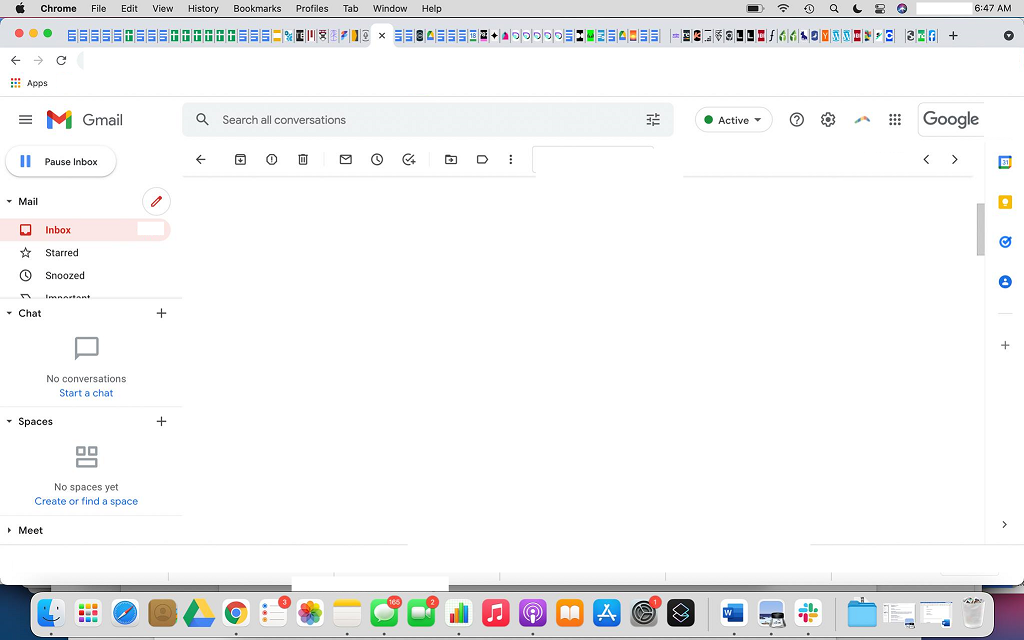
An esteemed associate of mine once shared a snapshot of the screen of her computer to show an interesting article opened in one of the tabs of her browser (see featured image). To me, in that picture, the more striking thing than the article was the countless open tabs in her browser! Well, you know, she is not alone!
Tabs allow us to refer to multiple web pages and sites at the same time in a single window of the browser. But, the tabs are useful when you are dealing with a handful of them with a clear purpose in mind. How can the tabs anymore be useful, when you could barely see the favicon (the little picture on the tab), leave alone the titles. Open tabs also consume resources on your computer, so it’s prudent to leave them open only if you are working on them. However, the most potent impact of multiple open tabs is to your focus. It becomes difficult to focus on one piece of work when several others are staring at you.
I am always amazed at motherhood statements offered by some experts as advice– “You should work, as much as possible, in a single tab at a time.” It’s easier said than done. The tabs are left open for various reasons and resolving those pain points can only lead to a durable solution to the problem posed by them. So why not identify all the pain points and see how to fix each of them.
Pain point #1: There are a bunch of articles that I have opened in them.
If you are a curious reader, you will end up accumulating several such reading items every day, be it an article, a blog post, a social media post, and so on… But frankly, tabs are so inefficient to hold such stuff as you know you are not going to get to them anytime sooner. It’s not worth holding on to them in the browser. There is a wonderful breed of Apps exactly for this purpose, named Read Later Apps. Instapaper and Pocket are the popular ones at the time of writing. Save links to your reading material into your read later App and move on. And when (or whenever) you get time to read, switch to the Read Later App and clear the pending lot. It helps to have a reading time as part of daily ritual, generally, but not necessary if you keep your Read Later App handy. You will find more details here.
How many tabs did you close? A dozen? Great! Let’s move to the next.
Pain Point #2: These are reminders to me for unfinished tasks
I hear you but isn’t it an incomplete inventory of your unfinished tasks as not everything is done in the browser. You may have to maintain another inventory of unfinished tasks in the email application. Another in your phone and some on a whiteboard?
It’s prudent to maintain an authentic to-do list for this purpose. Gather everything into a single to-do list and look it up when you are at work. Hold! I know (again) what you are saying! My To-do list becomes a rabbit hole soon and there is a danger of missing important tasks in it. Point taken, but that’s where you need to invest a few minutes of your weekend to extract a small list of the right tasks for the coming week from the master list. Of course, you would add more to it as your week progresses. Get more details here.
I am sure you have now shed a major chunk of your tabs. But let’s move ahead.
Pain Point #3: I had taken lots of pain to find these pages.
Fair enough! Although Google search could help us find them again, we may not want to take a chance or don’t want to waste time in finding them. This is where browser bookmarks are helpful. Hold, hold! I know what you are saying – searching in bookmarks is an equal pain. If you say so, you haven’t heard of the Bookmark Manager option in the browser. Try your best to maintain a categorized list of bookmarks, but if you can’t locate what you want, you could always search into your bookmarks, with the help of Bookmark Manager. A great way to improve your bookmarks search is by adding lots of keywords to the bookmark, right while creating them. Check here for more details.
Now that your bookmarks are more organized and you closed a few more tabs, let’s move to the next.
Pain Point #4: These are the tabs, I require quite frequently
Yes, we always have such a requirement. And that’s where your browser bookmarks bar is useful. Line up all such frequently required websites and bookmark them on the bookmarks bar. You will run out of space soon, so in that case, delete the entire title of each of your bookmarks as you should generally be good with just the favicon of the site. Get more details here.
Pain point #5: This is a small bunch of tabs that I need when I work on this task.
That’s great if you have this level of clarity about your way of working. But again, this is not a reason to keep your tabs open. The best way to deal with this situation is to create a folder on your bookmarks bar and park the bookmarks to all those pages in it. Whenever you are on that task, simply right-click on that folder and open all of them at once in one click. They will all open and exactly in the sequence you had saved them! Read more here.
Your open tabs are depleting fast, but there are a few still left, Let’s see why!
Pain point #6: I need these sites all the time throughout the day
Bravo! You have now reached exactly those tabs that you should indeed keep open always! Your Gmail, Chatting App, note-taking App, your favorite tickers, etc. are required all the time and you want to stay alert for the notifications, so there is no point in closing and opening them all the time. So the question is how to avoid them getting mixed up with the rest of the tabs? There is a way – pin the tabs that you don’t want to close. That way they all get lined up to the left and look different from the rest. Check out more details here.
Phew! A lot of cleaning up done! The EXCESSIVE number of browser tabs reflects “unorganized” us. But merely closing them is not going to magically solve the problem. We need to methodically take care of them as we did above.
Always imagine your browser as the kitchen platform. You may get tempted to keep everything on the platform so that you could access them fast whenever needed. But cluttering your platform will simply make it difficult to work. The only way to keep your platform clutter-free for comfortable working and be able to access other things easily, when needed, is to PLAN a space for everything that you use and move them away from the platform into those spaces. Right?
Subscribe to my newsletter, to get tips like this and more, directly in your inbox!
(Originally published in Times of India BLOG on June 1, 2022)
HOW CAN YOU LIVE WITH MONDAY BLUES?
Last Friday, the 13th incidentally, I got a meme about Monday blues, which, I would say, captured the whole sentiment behind this phenomenon. It said, “FRIDAY THE 13TH IS STILL BETTER THAN MONDAY THE WHATEVER”. When I shared it back in Teams group chat, at my office, there was an uproar of approval! By the way, the reaction to the same meme would have been subdued had it been a Monday! That’s what Mondays could do to us!
Many years back, Soumya, a Tech lead from my team knocked on my door, on a Monday morning. She looked a little dejected. Once I made her comfortable in a chair in front of me, she said, “Ravindra, I have decided to resign”. She went on to say how her life has become busier on the home front to meet expectations from everybody in addition to the already heavy workload at the office. Since she was not able to do justice to all her responsibilities, she had decided to cut down some of hers, by leaving her job for good. Her husband had a well-paying job in a construction firm, so finances were never an issue for her.
While listening to her, I was rapidly running through all the pitches, that I had practiced over several years of being a manager, to save the day. At one moment, I said to myself, “Stop! What’s the day today? Monday, right? Aha!” I knew what to do!
I empathized with her and said that resigning might be a good idea for her well-being. I advised her to let us take the discussion ahead the next day morning. Come Tuesday morning, Soumya was back in my office, cheerful this time, and said that, she wanted to give herself a chance for a few more days and see if she really must resign. Needless to say, we never ever revisited that topic and I never revealed my trade secret to her.
Monday blues are real! I think they catch us quite early when we join the school. Which child may want to forego her freedom at home and sit through several hours of seemingly house arrest at school! As we grow, we come to terms with this phenomenon only till it raises its ugly head later.
Some experts like to attribute Monday blues to dislike for the work and the people at the work. But I think it’s not necessarily true. Again, how many people are at the jobs that they “love”! Experts also list down a dizzying battery of tips to beat the Monday blues. Over years of experimenting with several things, What I have realized is that if you are reasonably happy with your job and doing reasonably well at it, the solution to Monday blues is simple. Let’s see what that is.
What bothers you most during your uneasy weekends and Mondays is remembering all the work that you were expected to carry forward from the bygone week to the next, in your head. Well, it’s granted that you will have emails, messages, or colleagues that will remind you about your work, but you would never be sure if it was all that you must work on. You may start working on one out of those you know, but something will nibble your mind inside about if you weren’t forgetting something more important. It’s like you toss and turn in your bed at night when you were in doubt about if you had secured all the doors of your house. You could ultimately fall asleep, only after you got on your feet and checked all the doors.
The secret behind stress-free weekends and super-charged Mondays is – Keep flushing all your unfulfilled commitments from your mind into a list during the week and open it back on Mondays when you resume your work. This is the only way to unplug yourself during your weekend and get back to exactly the state in which you had left the work.
Let me tell you why this simple thing should move mountains! There are two forces that are working against our mission to stay calm and focused on our work. We, as knowledge workers are subjected to a flurry of work assignments whose priorities keep changing. You could rarely end your week with the same priorities that you had at the beginning of the week. This is all in the interest of staying agile and nimble. But that is too many moving things to stay in control of.
The other force is within us. When you try to remember your work, you keep it in your working memory, which is too small to store all your work. You will end up always missing some (typically, the ones your boss or your spouse remembers!) work.
The only way to defend these forces is to maintain a running list of all the actions from both personal and professional work, out of your head and into an app of your choice. When you start your week, and then a day, you will be required to have a peek at this list and shortlist the ones that make the most sense for that week and then for the day! The power of such an exhaustive list of actions is that you get to pick a perfect activity for any given time slot with great confidence.
Extending the Virushka’s Ads of the season that says, HOW CAN YOU LIVE LIKE THIS?, I would like to say – HOW CAN YOU LIVE WITH MONDAY BLUES?
(Originally published in Times of India on May 17, 2022)
Subscribe to my newsletter, to get tips like this and more, directly in your inbox!

How to Make Filing Income Tax Return Feel Like a Breeze
“…In this world nothing can be said to be certain, except death and taxes.”– Benjamin Franklin
-
We have now split a big task into 12 smaller ones that are smaller and so easily doable.
-
Recollecting information about the transactions is a lot easier as they are reasonably fresh in your memory (In fact, this indirectly allows reflecting on them to make or adjust future plans associated with those items).
-
While you are at it, you could turn this exercise into a more elaborate monthly reconciliation process.
-
Record all the credit (income) transactions into the spreadsheet, under the right heads. Some common heads could be, interest from various accounts, dividends, redemptions of mutual funds, rent, and most importantly non-taxable transactions. For every transaction, write the date of transaction, amount, name of the bank, and as much detailed information in the Remarks column, including some from the bank statement itself.
-
Record only the debit (expenses) transactions that are important from the Tax point of view, under the right heads, such as donations, insurance premiums, school fees, Advanced Tax, etc. (Discuss with your CA if you are not sure about what transactions should matter to you).
-
After completing this exercise, add/update the date in the top row with the date till which you have processed the information. This will help to find out the exact unreviewed period for the following month.
-
At the end of the financial year, “protect” the worksheet with no password so that it is protected from accidental edits and at the same time you don’t have to remember the password. You will have to share a copy of the worksheet (not the whole workbook) with your CA.
-
You may even draft an email to your CA and attach this spreadsheet and other information and wait for your CA’s call. How would you feel to send this mail in a jiffy back to your CA – breeze, right?
-
To create a blank template for a new financial year, copy the last year’s worksheet in the same workbook and delete the contents but retain the heads. It helps to have a single workbook with data from all financial years together.
-
You could optionally attach other rituals to this exercise, such as scheduling payments, paying bills, recording expenses for budgeting purposes, etc.
The above looks great to read but one has to be consistent in doing it, which is not easy. Here are some tips that will enable you to be so.
-
Create browser bookmarks for all the required bank login pages on the bookmarks bar of your browser for quick access.
- Create a couple of checklists to follow every month. One checklist would be of all the steps of processing.
- Create a shortcut to this spreadsheet itself so that you could access it quickly.
- Create a calendar event with monthly recurrence, so that you will be reminded about it on time. Once you get a reminder, create a task on your to-do list, so that you will not miss doing it.
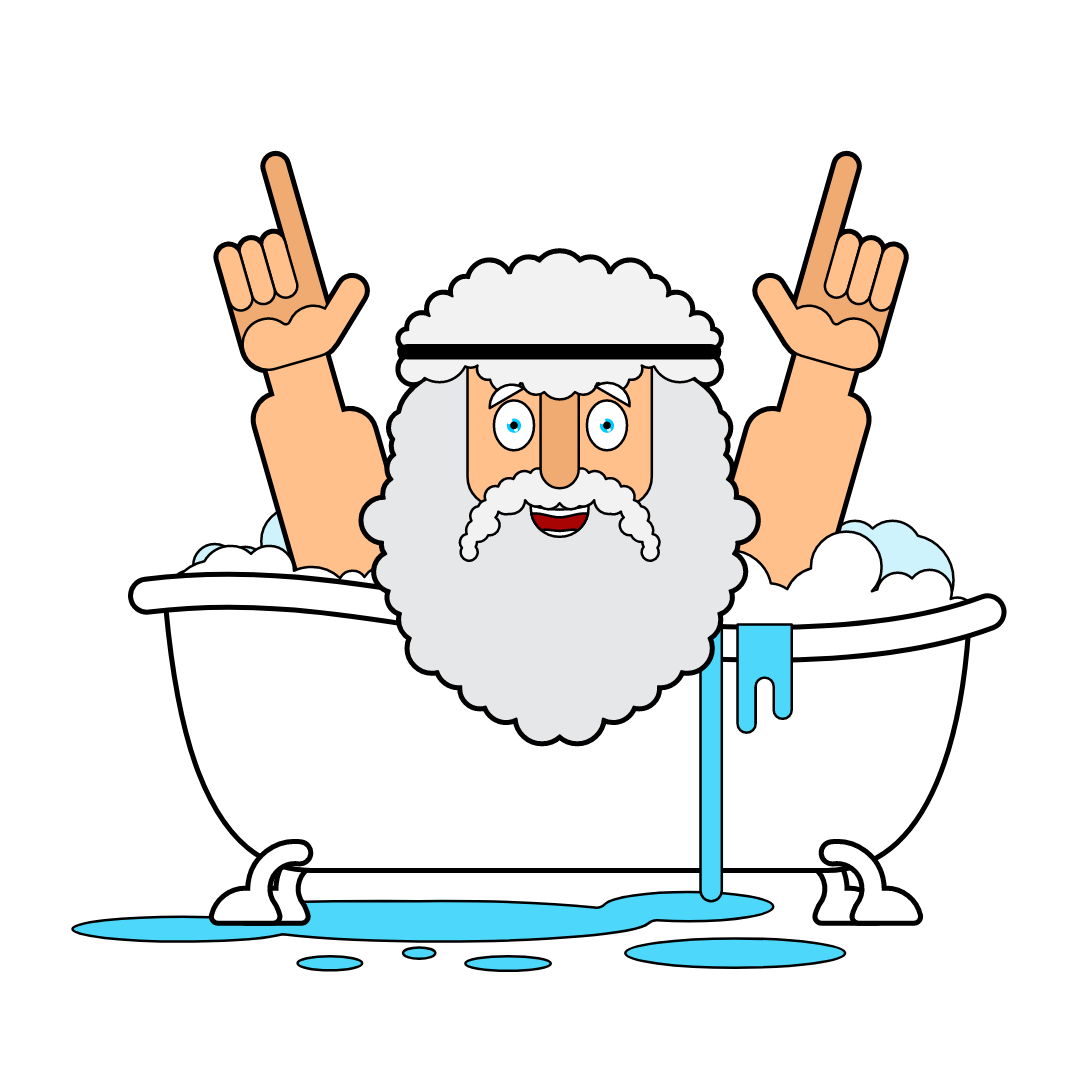
Having a bath? What would Archimedes do?
Everyone needs creative ideas all the time to solve tough problems in life, both personal and professional. One of my ex-colleagues, a voluntarily retired Indian Army General, said quite often, that he got his best ideas when he was at three B’s. I never asked him about what those were, but by looking at him, I had believed one of them must be “Bar”.
However, I could relate it to one B for myself, and that is Bath! I got numerous creative ideas while having a bath. I must have implemented several of them and got rewarded. It’s not a novel idea at all. Humanity would be thankful for that great bath when floatation was formulated by Archimedes. It does not require great skills either. You should have a bunch of gnawing problems in your head and the ritualistic act of bathing sets your mind free to wander and you start getting creative ideas.
When I was doing my MBA a few years back, I was badly looking for a small organization to do an academic data science project on their data. I was breaking my head to find someone who would trust me with their data. A mini-eureka moment came in when it occurred to me that my brother has had his own radiology diagnostic center running for several years. He had not done any special effort to collect the data, but the computerized radiological machines had recorded loads of data anyway. Problem solved! We ended up making a wonderful project for his center!
I am sure every one of us has such stories to tell. One hitch though I am sure we all would face is we might not be able to recollect all the small or big ideas we had come up with, once we return to the daily grind. It feels terrible when you had a great idea and later you did not recollect what it was. A deliberate effort might help and I am sure it’s worth it!
- Most of us carry smartphones inside the bathroom. We should rush to the phone and enter the ideas before even stepping out of the bathroom.
- Let’s say you do not want to get the phone in the bathroom, you should keep it as near to the door as possible. As soon as you step out, you should enter all the new ideas.
- If you are good at generating mnemonics, possibly you could make one as you keep getting ideas to remember them till you capture them into your device.
- It’s necessary to have a single known place to collect all such fleeting thoughts. There is a dime a dozen mobile apps for this purpose, but we need a lightweight App that does not take you on a tour, just to add an item to your list. Google Keep is one such app that fits the bill, for its simplicity and power.
Feel free to do the Archimedes “on-street” act also, if you really get some earth-shattering idea, but for all others, be content by entering them into your listing App, for eventual implementation.
Once you are aware of the power of this habit, you could even cheat your mind by deliberately pushing it into a topic of your interest, before a bath! How about bathing with that frog before eating it!
Of course, you don’t have to stop at just one B. Extend this habit to your own other B’s.
(Originally published in The Times of India on April 9, 2022)
Subscribe to my newsletter, to get tips like this and more, directly in your inbox!